See the word at work: usage examples in Lexolotl
Some language learning apps make a game of word recognition, but there’s more than that to learning a language. A word on its own doesn’t communicate; you need its context in a sentence, and to hear it spoken. Verbs and nouns need to appear in different forms to demonstrate the grammar. Reinforcement is strongest when it includes usage.
So when I worked on the flashcard drill in Lexolotl, I noticed this need and asked: what if the app could also give you some context, some usage, some actual spoken language? And that’s when it clicked: with the latest technologies like on-board Apple Intelligence and language-aware Text-To-Speech, today’s devices have serious learning tools just waiting to be revealed by app developers.
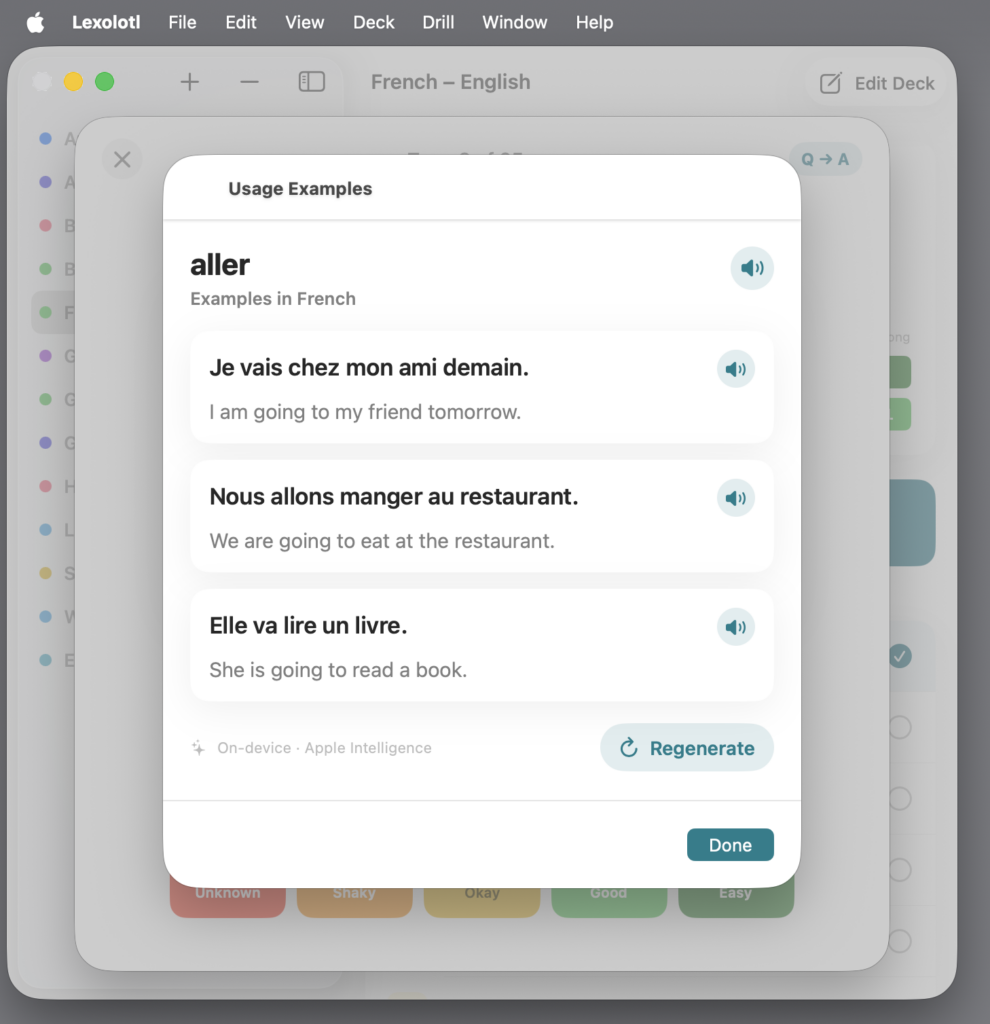
Reveal a card in a Lexolotl drill, and if the deck has a learner language and a study language set — and your device supports it — a Usage Examples button appears. Tap it, and Apple Intelligence writes three example sentences using the term, each paired with a translation, generated entirely on your device. No sign-up, no server round-trip, no waiting on a network. The word you just recalled, immediately shown doing its job in three real sentences.
A note on that “if your device supports it,” because Lexolotl is honest about this rather than quiet: usage examples run on Apple Intelligence, so they need iOS 26 or macOS 26 on a capable device with Apple Intelligence turned on, and a supported language pair on the deck. When any of that isn’t in place, the button simply doesn’t appear, but everything else still works. On the devices and languages where it works (including recent iPhone, iPad, Mac, and Vision Pro models), here’s what it does.
Three sentences, in context
The sentences generated by Apple Intelligence are prompted to be suited to language learning and variety. Three sentences start to show you the world’s range — the same term across different constructions, so you’re learning a flexible piece of language rather than one frozen phrase.
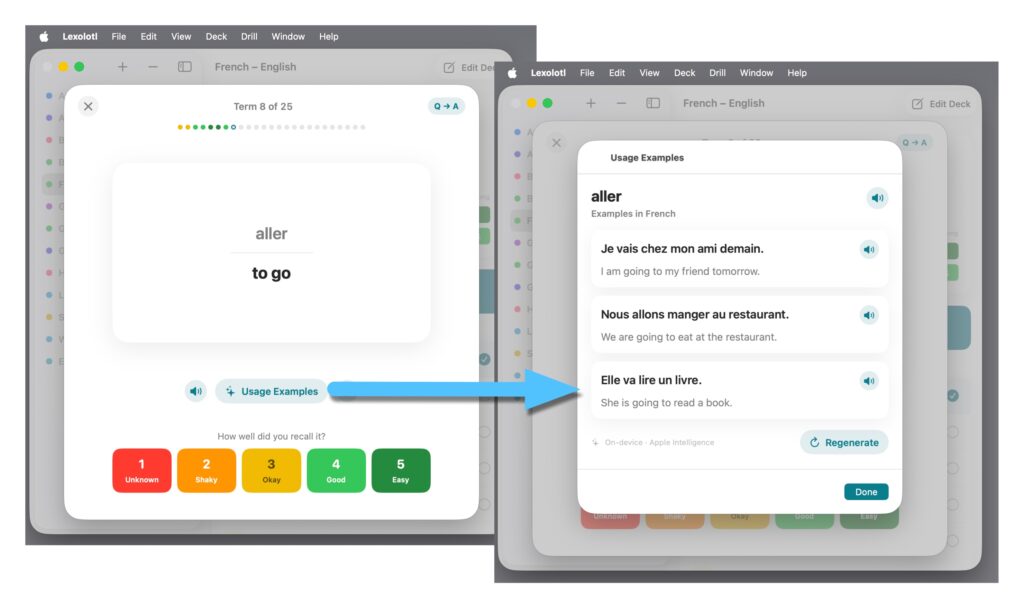
Each sentence comes with its translation, so you’re never guessing whether you parsed it correctly. You read the study-language sentence, check your understanding against the translation, and you’re ready to move on with the word anchored to something concrete, reinforced by real-world usage, instead of floating free with just a definition.
Not the right three? Regenerate.
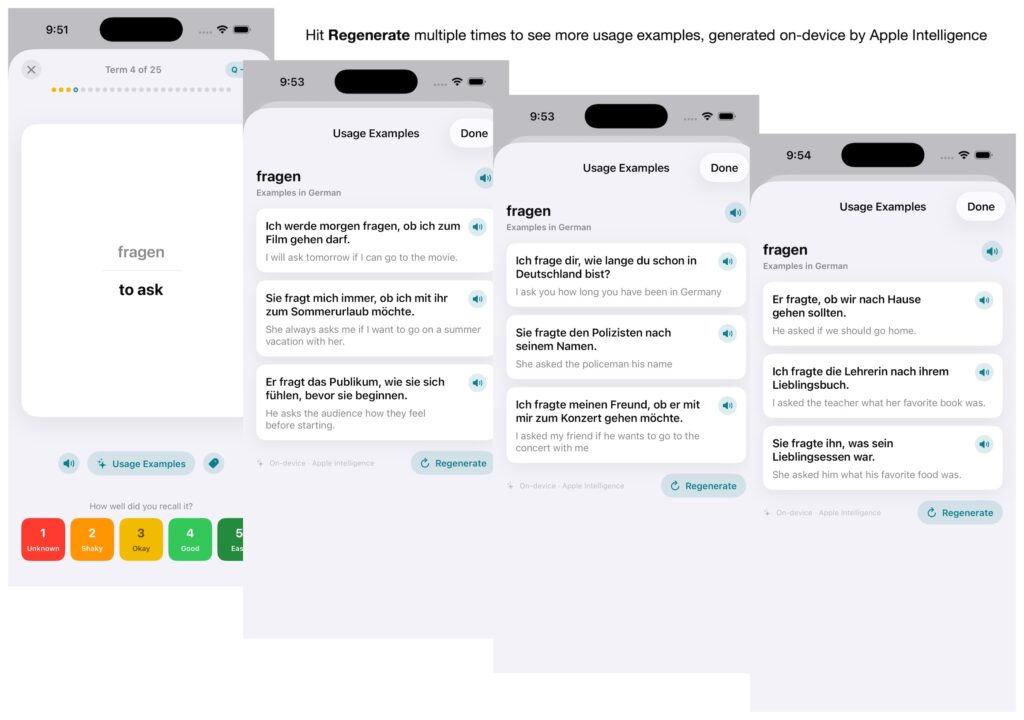
Sometimes the first three sentences aren’t the ones you need. Maybe they seem to use the word in a similar way, or they lean formal when you’re studying conversation, or one of them just doesn’t land for how your brain works. There’s a Regenerate button right there.
Tap it and you get a fresh set of three — same word, new sentences. It’s the small feature that makes the whole thing feel less like a fixed reference and more like a patient tutor who’ll give you another example, and another, until the word clicks. Stuck on a stubborn term? Keep pulling examples until you’ve seen it enough different ways that it stops being abstract. Because it’s all on-device, there’s no cost to asking again.
Hear it, not just read it
Reading a sentence and hearing it are, again, two different pieces of knowledge, especially in a language whose spelling doesn’t hand you the pronunciation. So every generated example sentence carries a small speaker button. Tap it and Lexolotl reads the study-language sentence aloud. If the language is supported, the spoken pronunciation is natural and accurate.
This is the same text-to-speech that speaks the study-language side of your drill cards, now extended to the examples. You get the word in a full sentence, in context, and in your ear — the rhythm of it, where the stress falls, how the sounds run together. The translation side stays silent on purpose; you can already read that, and the point is to train the language you’re learning, not the one you already speak.
There’s a deliberate bit of polish worth mentioning: parenthetical hints on a term — a gender marker like l’heure (f.), say — are skipped both when generating examples and when speaking, so a grammatical note you added for yourself never gets read aloud or awkwardly worked into a sentence.
Why it’s built this way
I added usage examples because it’s something I found myself needing to do anyway to reinforce words. The game of drilling cards and memorizing isolated pieces of data is worth playing, but real language learning proceeds from full sentences and full context. Even when I was using DIY paper flashcards, I found my best study sessions would those when I’d plug an elusive word into a search engine and try to find real-world examples, speaking them aloud. That’s still something I do, and in addition, I use Apple Intelligence in Lexolotl to give me this extra context at the tap of a button.
Lexolotl does all of this without needing an internet connection, without uploading your vocabulary to any website, without any app subscription or AI usage fees. On-device intelligence isn’t a compromise here — it’s the whole point. Private, immediate, and available every time you flip a card.
If you’re learning a language with Lexolotl on a supported device, set a study language on your deck and try it on your next drill. Reveal a card, hit Usage Examples, and see the word you’re learning actually at work — then tap the speaker button and hear it out loud.